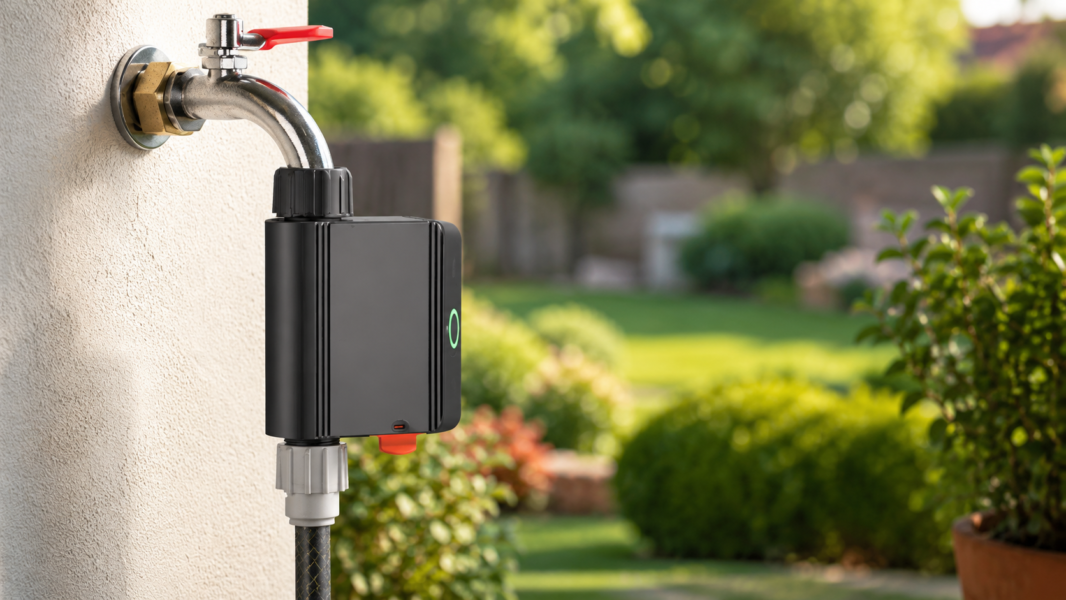

I’ve written several times before about Zigbee irrigation valves, and there is a reason for that: irrigation is one of those smart home areas where reliability is not optional. A light switch can sometimes be a little annoying. If you press it and the light does not turn on, you press it again. But with irrigation, a failed command can mean the garden does not get watered — or worse, the valve opens and does not close.
That is why my requirement for a smart irrigation valve has always been very simple: it needs to work. Not mostly work. Not work after a retry. Not work after a custom quirk, a workaround, or a safety automation. It needs to open when Home Assistant tells it to open, and it needs to close when Home Assistant tells it to close.
After trying several different Zigbee irrigation valves and building more than one workaround around them, I think I finally found the product I was looking for: the SONOFF Zigbee Smart Water Valve.
SONOFF Zigbee Smart Water Valve Review
Why Irrigation Valves Are Different
In a smart home, not all devices have the same reliability requirements. If a decorative light does not respond once, it is not a disaster. If a speaker announcement is missed, life goes on. But an irrigation valve is connected to water, and water is something I do not want to gamble with.
There are two failure scenarios I care about:
- The valve does not open — the irrigation cycle does not start, and the garden may not get watered.
- The valve opens but does not close — this is the bigger problem, because water can keep running much longer than intended.
Because of that, I do not want to rely on “send the command twice” automations, strange internal timers, or extra sensors just to make sure the valve did what it was supposed to do. Those workarounds are interesting, and I have used them, but they are not the ideal solution.
My Previous Attempts
This is not the first Zigbee irrigation valve I have tested. In the past, I wrote about adding a TS0049 irrigation valve to Home Assistant, dealing with internal shutdown timer behavior, and even using vibration sensors as a reliability layer to confirm the valve physically moved.
- Adding TS0049 Irrigation Valve to Zigbee Home Automation
- Bypassing the Zigbee Irrigation Valve’s Internal Shutdown Timer
- Ensuring Zigbee Valve Reliability with Vibration Sensors in Home Assistant
Those experiments were useful, and they helped me build a more reliable irrigation setup. But looking back, the amount of effort says something. If I need timers, bypasses, extra sensors, and safety automations just to trust a valve, then maybe the real problem is the valve.
The SONOFF Zigbee Smart Water Valve
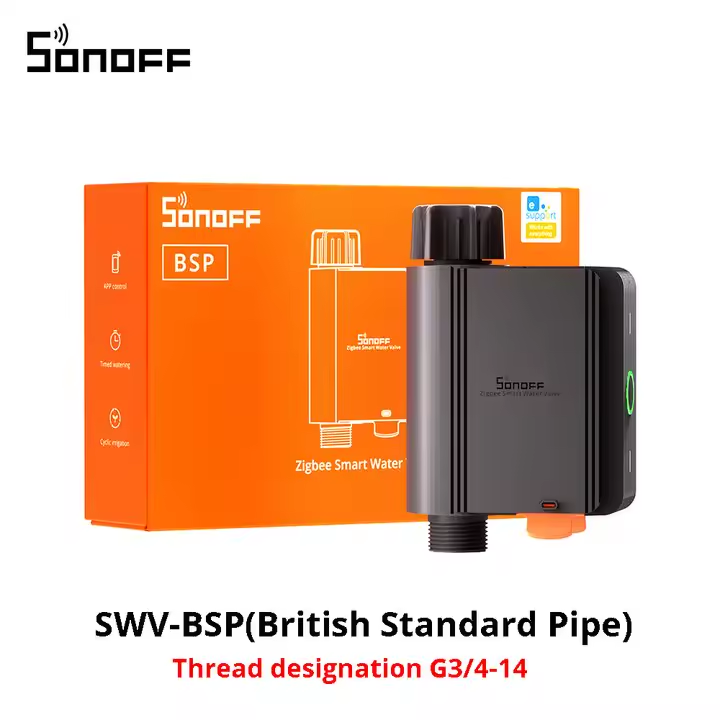
The SONOFF Zigbee Smart Water Valve is a battery-powered Zigbee water valve designed for irrigation, garden watering, lawns, vegetable patches, and similar use cases. It connects between the faucet and the hose, so installation is simple and does not require changing your plumbing.
It is available in different thread versions, including BSP and NH, so make sure you choose the version that matches your local faucet and hose connections.
The important part for me is not that it has a long feature list. The important part is that in Home Assistant, it behaves exactly how I want a valve to behave. It was detected immediately as a valve, without needing a custom quirk, weird configuration, or special hack.
Home Assistant Setup Was Surprisingly Simple
This is where the SONOFF valve really surprised me. I have generally used more Tuya-based Zigbee devices at home, and I have often stayed away from SONOFF devices. But in this case, the SONOFF valve was actually the cleanest experience I’ve had with this type of product.
After pairing it with Home Assistant, it appeared as a valve immediately. No special template. No custom quirk. No fighting with device classes. No workaround to make it look like the right type of entity.
That alone makes a big difference. When Home Assistant exposes a water valve properly as a valve entity, automations become cleaner and easier to understand. Instead of treating the device as a generic switch and remembering that “on” means “water is running,” you can work with it more naturally as an irrigation valve.
No Reliability Hacks Needed
The biggest compliment I can give this valve is that I do not have much to say about it. It just works.
With some previous valves, I felt like I needed to build extra layers around them. Safety timers. Confirmation sensors. Retry logic. Workarounds for the device’s internal timer. Automations that try to protect me from the valve’s own behavior.
With this SONOFF valve, I did not need any of that. It opens when requested. It closes when requested. Connectivity has been solid. Battery life seems excellent so far. The device stays connected and responds properly.
For an irrigation valve, that is exactly what I want.
Why “Just Works” Matters So Much Here
It is easy to underestimate how important boring reliability is. In smart home discussions, we often get excited about advanced features, dashboards, sensors, custom firmware, and complex automations. But for irrigation, boring is good.
I do not want my water valve to be exciting. I do not want it to surprise me. I do not want to debug it every few weeks. I want to create an automation in Home Assistant and trust that when the automation runs, the valve will follow the command.
This is the first Zigbee irrigation valve I have tested where I feel comfortable saying that it finally gives me that experience.
What About the Built-In SONOFF Features?
The valve also supports irrigation-style features such as scheduling and capacity-based watering, depending on the platform and integration you use. That can be useful if you want to use the device through the SONOFF / eWeLink ecosystem.
Personally, I prefer to let Home Assistant handle the automation logic. I want all my schedules, conditions, weather checks, notifications, and safety logic in one place. So for my setup, the most important thing is not the vendor app. The most important thing is that Home Assistant can control the valve reliably.
And on that point, this valve has been excellent.
A Few Practical Notes Before Buying
Before ordering, check the thread type carefully. Depending on where you live, you may need the BSP version or the NH version. This is one of those details that is easy to miss, but it matters because the valve needs to physically connect to your faucet and hose.
Also remember that this is still a battery-powered Zigbee device, so Zigbee coverage matters. If your irrigation area is far from the house, you may need a strong Zigbee router nearby, especially if the valve is outside or behind walls.
In my setup, connectivity has been very good, but every Zigbee network is different. A reliable Zigbee mesh is always part of the equation.
Who Is This Valve For?
This valve is a great fit if you want to automate garden watering, lawn irrigation, balcony plants, vegetable beds, or any simple hose-based irrigation setup from Home Assistant.
It is especially useful if, like me, you have tried other Zigbee irrigation valves and felt that they were almost good, but not quite reliable enough to fully trust.
If you want a valve that pairs cleanly, appears properly in Home Assistant, keeps good connectivity, and does not require a collection of hacks to make it usable, this is the one I would currently recommend.
My Verdict
I did not expect to be this happy with a SONOFF irrigation valve, especially because I have usually leaned more toward Tuya products in my own home. But this device changed my mind.
The SONOFF Zigbee Smart Water Valve has been the most reliable and straightforward Zigbee irrigation valve I have tested so far. It was detected correctly in Home Assistant, it works as a valve without special hacks, battery life seems excellent, and connectivity has been solid.
Most importantly, it does the one thing an irrigation valve must do: it opens and closes when asked.
After several posts, experiments, and workarounds around Zigbee irrigation valves, this is finally the one I can comfortably recommend.
Happy automating!