
Last year I wrote about building a DIY travel router using a Raspberry Pi, RaspAP, USB WiFi adapters, and a few custom scripts. It was a fun project, and it taught me a lot about how travel routers actually work behind the scenes. The goal was simple: arrive at a hotel, Airbnb, café, or temporary office, connect one device to the local internet, and then create my own private WiFi network for all my devices.
But since then, the market has moved forward. We now have compact travel routers that can do almost everything I was trying to build manually, but in a much cleaner and more polished package. Over the past couple of months I’ve been experimenting with the ASUS RT-BE58 Go, and honestly, I’m very impressed.
This is a small WiFi 7 travel router with ASUS firmware, built-in security features, VPN support, public WiFi / WISP mode, mobile tethering, and enough flexibility to make it useful not only while traveling, but also as a backup router at home.
Why I Started Looking Beyond the DIY Router
The DIY Raspberry Pi travel router was great because it gave me full control. I could install what I wanted, change scripts, route traffic through my home network, block ads, and experiment with multiple WiFi adapters.
But it also had the usual DIY cost: more parts, more cables, more things to troubleshoot, more power considerations, and more situations where something small could break at the worst possible moment — usually when you’ve just arrived somewhere and just want internet to work.
That’s where the ASUS RT-BE58 Go feels like a natural follow-up. It gives me most of what I wanted from the DIY setup, but in a ready-made, travel-friendly device that is easier to carry, easier to configure, and much more polished.
What Is the ASUS RT-BE58 Go?
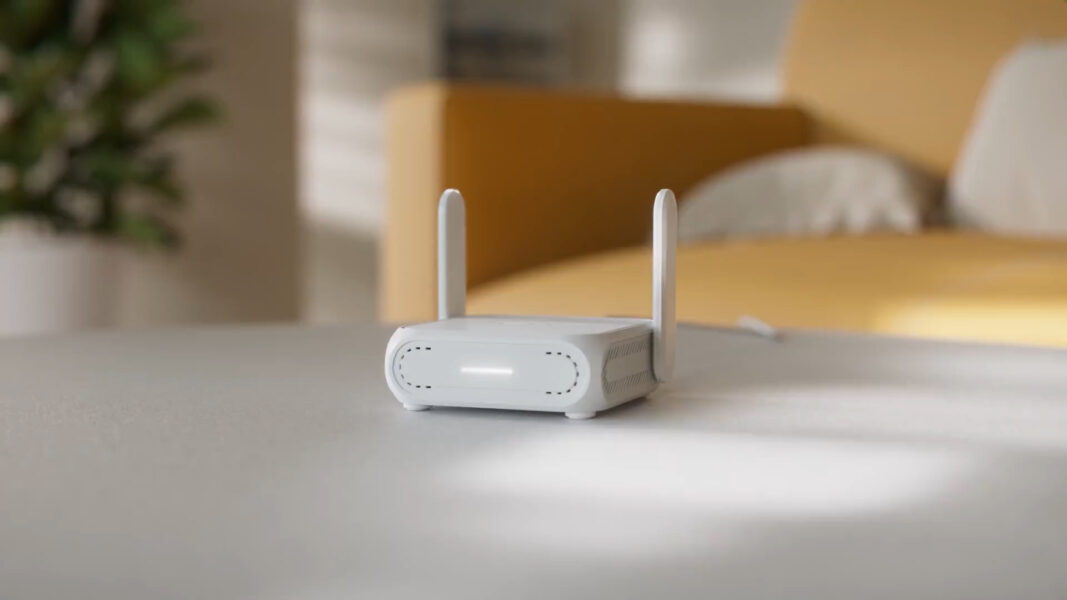
The ASUS RT-BE58 Go is a compact dual-band WiFi 7 travel router. It supports speeds up to BE3600, with up to 2882 Mbps on 5 GHz and up to 688 Mbps on 2.4 GHz. It is not a huge home router with big antennas and a massive footprint. It is clearly designed to be portable, small, and flexible.
The size is one of the big advantages here. The router is about 99 × 111 × 36mm and weighs about 232g. In real life, that means it is small enough to throw in a travel bag without thinking too much about it. It has roughly the same footprint as my DIY router idea, but without the stack of parts, dongles, hubs, and extra cables.
It includes two foldable antennas, one 2.5Gbps Ethernet port, one 1Gbps Ethernet port, a USB-A port for mobile tethering, and USB-C for power. That combination makes it much more flexible than many small routers I’ve used in the past.
The Main Feature: WISP / Public WiFi Mode
The feature that matters most to me is WISP mode, sometimes described as public WiFi mode. This is exactly the type of behavior I was trying to create with the DIY travel router.
In this mode, the ASUS router connects to an existing WiFi network — for example, hotel WiFi, Airbnb WiFi, airport WiFi, or a café network — and then creates your own private WiFi network behind it. Your phone, laptop, tablet, Chromecast, and other devices connect only to your ASUS network, while the ASUS router handles the upstream connection.
This solves a few common travel problems:
- You only configure one device to connect to the hotel or Airbnb WiFi.
- All your devices stay on your own private network, with the same SSID and password you already know.
- Devices like Chromecast, tablets, and laptops behave more normally, because they are all on the same local network.
- You can apply VPN, filtering, and router-level settings to the devices connected behind the travel router.
For me, this is the whole point of a travel router. I don’t want to configure every device again every time I arrive somewhere new. I want one router to handle the messy local network, and then let my devices connect to my own clean network.
Much More Polished Than the DIY Version
The biggest difference between this and my DIY router is polish. With the Raspberry Pi setup, the power was in the flexibility. With the ASUS RT-BE58 Go, the power is in the fact that it feels like a finished product.
You get the ASUS Router app, the ASUSWRT web interface, normal firmware updates, a proper case, foldable antennas, built-in modes, and a much simpler setup process. It feels like something you can actually recommend to someone else without adding a long warning about Linux commands, USB adapter compatibility, and custom scripts.
That doesn’t mean the DIY router has no value. If you love tinkering, want full Linux control, or want to build something very specific, the Raspberry Pi route is still fun. But if the goal is simply to have a reliable travel router that works well, the ASUS is much easier to live with.
Built-In VPN Support
Another major advantage is the built-in VPN support. ASUS includes VPN client and server features, including OpenVPN and WireGuard support. This is important for travel because one of the main reasons to use a travel router is to protect your traffic and optionally route devices through a trusted VPN connection.
Instead of setting up a VPN on every phone, laptop, tablet, and streaming device, you can configure the VPN once on the router and then decide which devices should use it. ASUS also supports VPN Fusion, which can be useful if you want some devices to go through VPN while others use the regular internet connection.
That is exactly the kind of feature that makes a travel router feel practical. You configure it once, pack it in your bag, and use it again and again.
Ad Blocking and Safe Browsing
The RT-BE58 Go also includes ASUS security and filtering features, including AiProtection and Safe Browsing with AdGuard DNS support. This gives you router-level filtering without needing to install ad blockers separately on every device.
To be clear, this is not the same as running a full local AdGuard Home server with detailed custom rules and logs. It is more like a convenient built-in web service / DNS-based filtering option. But for travel and light usage, that is completely fine. In many cases, the free AdGuard DNS option is enough to reduce ads, trackers, and some unwanted traffic while you are away from home.
For me, this is another example where the ASUS router gives you “good enough” built-in functionality without needing to build everything manually.
WiFi 7 in a Travel Router
One of the nice surprises is that this small device is already a WiFi 7 router. It is dual-band, so it does not include a 6 GHz band, but it still brings WiFi 7 features like MLO and 4K-QAM on supported devices.
In practical travel-router terms, I don’t think the headline WiFi 7 speed is the main reason to buy it. Most hotel or Airbnb internet connections will be slower than what this router can provide locally. But WiFi 7 still makes the product feel more future-proof, and the close-range performance is very good for the size.
This is not the router I would buy to cover a large house. That is not its job. It is a compact router for a hotel room, apartment, small office, vacation rental, or temporary setup. In that role, the performance makes a lot of sense.
Mobile Tethering and USB-C Power
Another feature I like is mobile tethering. The router has a USB-A port that can be used for 4G / 5G mobile tethering, so you can connect a phone and use it as the internet source for the whole network.
That can be very useful when you are somewhere with bad WiFi but decent cellular reception. Instead of hotspotting from your phone to each device separately, the phone can provide the internet connection to the ASUS router, and the router can provide the private WiFi network for everything else.
The router is powered by USB-C and supports USB-C PD power. That makes it easier to travel with, because you are not dealing with a strange barrel connector or a dedicated power brick that only works for this device. In many situations, you can power it from a suitable USB-C charger or power bank.
The One Thing I Don’t Love: Ethernet in WISP Mode
The one shortcoming I found is related to WISP mode and Ethernet. In WISP mode, the WAN port effectively becomes a LAN port. That means you get two LAN ports, which is nice, but you do not have a dedicated WAN port in that mode.
Most of the time, that is fine because WISP mode is specifically designed to connect upstream through WiFi. But sometimes you arrive at a hotel room or Airbnb and discover there is actually an Ethernet socket available. In that case, it would be nice to simply plug it in and use Ethernet as WAN without changing the whole operating mode.
You can change the mode of the device, of course. But when I get to a new place, I don’t really want to start changing router modes on the spot. I would have preferred an option to choose whether the 2.5Gbps port remains WAN even while using this travel-style setup.
This is not a dealbreaker, but it is the main thing I would improve.
Other Features Worth Mentioning
There are also a few features that make the RT-BE58 Go more useful than it first appears:
- Guest Network Pro: Useful for creating separate networks for guests, IoT devices, or VPN-specific use.
- AiMesh support: It can integrate with compatible ASUS routers, which makes it useful beyond travel.
- Configurable side switch: The physical switch can be used for quick function changes, depending on your setup.
- 2.5Gbps Ethernet: Nice to have in such a small device, especially when using it as a wired router or compact backup router.
- ASUS app support: Setup and management are much easier than manually editing config files on a Raspberry Pi.
Who Is This Router For?
I think the ASUS RT-BE58 Go is a great fit for people who travel with multiple devices and want a more controlled network wherever they go.
It is especially useful if you travel with a laptop, phone, tablet, streaming stick, Chromecast, smart speaker, or any device that is annoying to reconnect to a new WiFi network every time. Instead, your devices always connect to your own travel network, and the router handles the changing internet connection.
It also makes sense for remote workers who want VPN support at the router level, families who want filtering and safer browsing while traveling, or smart-home users who like keeping their devices behind a network they control.
Who Should Still Build the DIY Version?
The DIY Raspberry Pi router is still interesting if you want full control. If you enjoy Linux, RaspAP, custom routing, local DNS, advanced ad blocking, scripting, and experimenting, then building your own router is still a great project.
But if you just want something that works, the ASUS RT-BE58 Go is the more practical answer. It takes the idea of the DIY travel router and turns it into a small, finished product that is easier to recommend.
My Verdict
Overall, I’m very happy with the ASUS RT-BE58 Go. It feels like the polished version of what I was trying to build with the DIY travel router. It is compact, lightweight, powerful enough for travel, easy to manage, and packed with the features I actually care about: WISP mode, VPN support, ad blocking / safe browsing, USB tethering, USB-C power, and WiFi 7.
The only real downside for my use case is the Ethernet behavior in WISP mode. I would love to have more control over whether the WAN port stays WAN or becomes LAN. But even with that limitation, this is still one of the best travel routers I’ve used.
If you enjoyed the DIY travel router idea but want something cleaner, easier, and more reliable for real-world travel, the ASUS RT-BE58 Go is very easy for me to recommend.
Happy traveling!